
Blog
Wi-Fi Extender vs Mesh System vs Better Router: Which Fix Works?

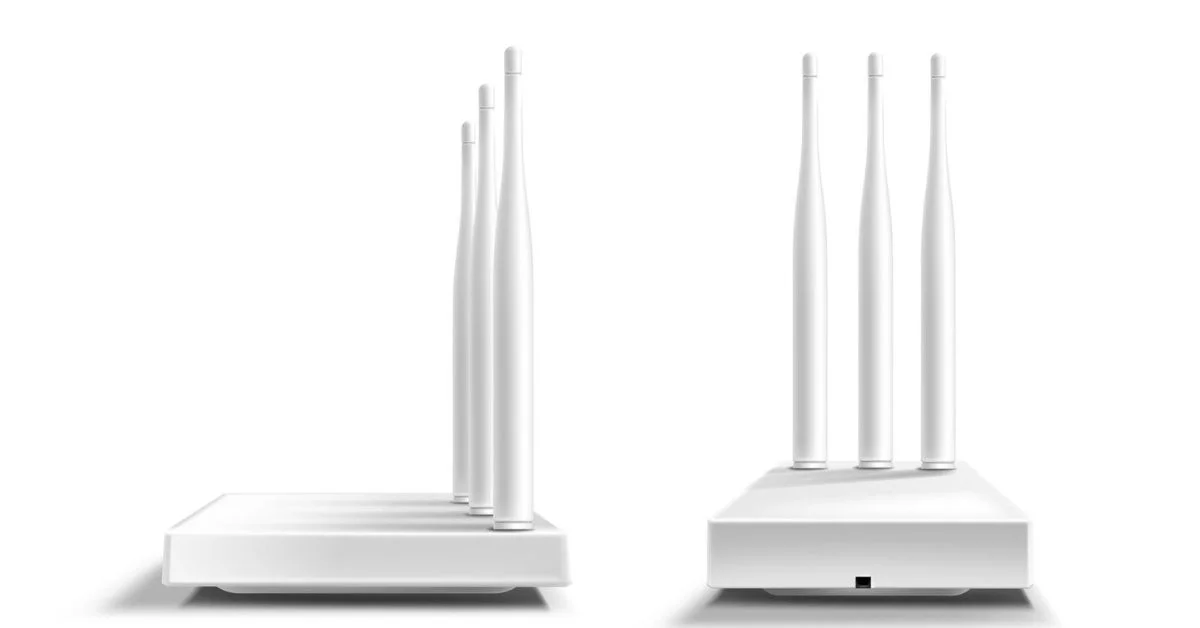
A weak Wi-Fi signal can make a good internet plan feel disappointing. One room streams perfectly, another room buffers. The home office keeps dropping video calls. The upstairs bedroom has slow loading. The smart TV in the basement loses connection. When this happens, many homeowners wonder whether they need a Wi-Fi extender, a mesh system, or a better router.
The comparison of wifi extender vs mesh vs router matters because each fix solves a different problem. A Wi-Fi extender may help one weak area. Mesh Wi-Fi can improve whole-home coverage. A router upgrade can improve router performance, device handling, speed, and modern Wi-Fi features.
The right choice depends on your home size, dead zones, setup cost, router placement, connected devices, internet service plan, and whether the problem is weak coverage, old equipment, or poor setup.
Weak Wi-Fi Is Not Always an Internet Plan Problem
Many homeowners assume slow Wi-Fi means they need faster internet service. Sometimes that is true, but often the real issue is coverage, router age, or placement.
A fast internet service plan sends speed into the home, but your router has to distribute that connection. If the router is old, hidden, blocked, overloaded, or placed too far from main rooms, Wi-Fi can still feel weak.
Before upgrading your plan, test the speed near the router and then test in problem rooms. If speed is strong near the router but weak elsewhere, you likely have a Wi-Fi coverage problem.
Wi-Fi Extender Explained
A Wi-Fi extender is a device that repeats your existing Wi-Fi signal into a weaker area. It connects to your router wirelessly and rebroadcasts the signal farther into the home.
A Wi-Fi extender can be useful for one small dead zone, such as a bedroom, hallway, garage, or corner office. It is usually cheaper than a mesh system and easier to install.
However, extenders can have limitations. They may reduce speed because the signal is being repeated. They may also create a separate network name, which can make device handoff less smooth as you move through the house.
Mesh Wi-Fi Explained
Mesh Wi-Fi uses multiple connected units, often called nodes, to spread Wi-Fi across the home. Instead of relying on one router to reach every room, a mesh system creates wider whole-home coverage.
Mesh Wi-Fi is often better for large homes, multi-story layouts, long hallways, thick walls, or homes with several dead zones. Devices can move between nodes more smoothly, which improves device handoff.
A mesh system usually costs more than a simple extender, but it can provide stronger coverage and a better experience for busy households.
Better Router Explained
A better router can improve home network performance when the current router is old, slow, overloaded, or unable to support modern devices.
A router upgrade may improve speed, device capacity, Wi-Fi range, router performance, security features, parental controls, and support for newer standards such as Wi-Fi 6 or Wi-Fi 7.
A better router is often the right fix when the whole home feels slow, many devices are connected, or the current router is several years old. It may not fully solve distant dead zones in a large home, but it can still improve the network foundation.
Wi-Fi Extender vs Mesh vs Router in Simple Terms
The easiest way to compare wifi extender vs mesh vs router is by the problem each one solves.
A Wi-Fi extender helps stretch signal to one weak area.
A mesh system improves coverage across a larger home.
A better router improves the main source of Wi-Fi performance.
If only one room has weak signal, an extender may work. If several rooms have weak signal, mesh Wi-Fi is usually stronger. If everything feels slow, the router itself may need upgrading.
Dead Zones Need Coverage, Not Just Speed
Dead zones are areas where Wi-Fi is weak, unstable, or unavailable. They often happen in basements, garages, upstairs bedrooms, back rooms, patios, or home offices far from the router.
A faster internet service plan may not fix dead zones. If the Wi-Fi signal cannot reach a room, more speed entering the home will not help much.
For dead zones, coverage is the priority. A Wi-Fi extender, mesh system, or better router placement may solve the issue more effectively than changing plans.
Large Homes Usually Need More Than One Signal Point
Large homes can be difficult for one router to cover. Walls, floors, distance, staircases, appliances, and layout can all weaken the signal.
A single router may work well near the center of the home but fail in distant rooms. In this case, a mesh Wi-Fi system is often a better solution than one extender because it creates broader coverage through multiple nodes.
Large homes with many devices may also need a strong main router or a mesh system designed for higher device counts.
Router Placement Mistakes Can Create Weak Signal
Some Wi-Fi problems happen because of router placement mistakes. A router hidden in a cabinet, placed on the floor, kept behind a TV, surrounded by metal objects, or located at one far end of the home may not perform well.
Before buying new equipment, move the router if possible. A central, open, elevated location can improve signal strength. Keep the router away from thick walls, microwaves, mirrors, large appliances, and cluttered spaces.
Better placement may reduce dead zones without extra equipment.
Modem vs Router vs Gateway Matters
Understanding modem vs router vs gateway can help you know what equipment needs upgrading. A modem connects your home to the provider. A router creates Wi-Fi and manages the home network. A gateway combines modem and router functions in one device.
If you use a gateway from your provider, weak Wi-Fi may come from the router portion of that combo device. You may be able to add mesh Wi-Fi or use a separate router depending on the setup.
Knowing which device does what makes troubleshooting easier.
WiFi 6 vs WiFi 7 Can Affect the Decision
The comparison of WiFi 6 vs WiFi 7 matters when choosing a better router or mesh system. Wi-Fi 6 can support faster speeds, better efficiency, and more devices than older Wi-Fi standards. Wi-Fi 7 is newer and can offer stronger performance for compatible devices, high-speed plans, and busy networks.
However, Wi-Fi 7 may not be necessary for every home yet. Many devices still use older Wi-Fi standards, and Wi-Fi 6 may be enough for many families.
A newer router can help, but it will not fix every problem if the router is poorly placed or the home has major dead zones.
Backhaul Affects Mesh Performance
Backhaul is the connection between mesh nodes and the main router or gateway. It can be wireless or wired.
A strong backhaul helps mesh nodes deliver better speed. A weak backhaul can reduce performance because the nodes may struggle to communicate with each other.
Some mesh systems use a dedicated wireless backhaul. Others work best when connected through Ethernet. If your home has Ethernet ports, wired backhaul can improve mesh performance.
Speed Loss Can Happen With Extenders
Wi-Fi extenders can help coverage, but they may reduce speed. Since many extenders receive and rebroadcast the same signal wirelessly, the connection may lose performance along the way.
This does not mean extenders are bad. They can be useful for simple coverage problems. But if you need strong speed for gaming, remote work, 4K streaming, or video calls in a distant room, a mesh system or wired connection may be better.
Extenders are best for light to moderate use in one weak area.
Device Handoff Is Better With Mesh
Device handoff means how smoothly your phone, laptop, or tablet moves from one Wi-Fi point to another as you walk through the home.
With some extenders, your device may stay connected to the weaker signal even when a stronger one is nearby. This can make Wi-Fi feel inconsistent.
Mesh systems are usually better at device handoff because the nodes are designed to work together under one network. This can make the experience smoother in larger homes.
Setup Cost Can Guide the Choice
Setup cost is another important factor. Wi-Fi extenders are usually the cheapest option. A router upgrade may cost more, depending on the model. Mesh Wi-Fi is often the most expensive, especially for larger homes that need multiple nodes.
The cheapest fix is not always the best fix. An extender may save money upfront but may not solve whole-home coverage problems. A mesh system may cost more but provide better long-term coverage.
Choose based on the problem, not only the price.
When a Wi-Fi Extender Works Best
A Wi-Fi extender works best when the home has one small weak area and the main router still performs well.
For example, an extender may help a guest bedroom, hallway, small home office, or garage area that is just outside the router’s normal range.
Place the extender where it can still receive a strong signal from the router. If you place it inside the dead zone, it may only repeat a weak signal.
When Mesh Wi-Fi Works Best
Mesh Wi-Fi works best for larger homes, multi-story houses, homes with thick walls, and layouts with several dead zones.
It is also useful for families with many connected devices, smart TVs, tablets, laptops, phones, gaming consoles, and smart home devices spread across the home.
Mesh is usually the strongest choice when the goal is whole-home coverage instead of fixing one small weak spot.
When a Better Router Works Best
A better router works best when the current router is outdated, overloaded, or not powerful enough for the household.
If the whole home feels slow, devices disconnect often, or the router cannot handle many devices, upgrading the router may help. A new router can also improve security, parental controls, speed handling, and Wi-Fi standards.
A router upgrade is especially useful if your internet service plan is fast but your current router cannot support that speed properly.
When Ethernet Is the Best Fix
Ethernet is often the best fix for devices that need stable performance. Work computers, gaming consoles, smart TVs, and streaming boxes may perform better with a wired connection.
Ethernet avoids Wi-Fi interference and can reduce latency. If a room has an Ethernet port, using it may be better than relying on extenders.
For important devices, wired connections are often more reliable than wireless fixes.
Coverage Area Should Match the Home
Coverage area matters when choosing equipment. A small apartment may only need a better router. A medium home may benefit from a router upgrade or one extender. A large home may need mesh Wi-Fi.
Look at the home layout, number of floors, wall thickness, outdoor coverage needs, and where people use the internet most.
Choosing equipment based on coverage area helps avoid buying too little or too much.
Internet Service Still Matters
Better Wi-Fi equipment can improve coverage, but your internet service plan still sets the overall speed coming into the home.
If your plan is too slow for your household, a better router or mesh system may improve coverage but not increase the total available bandwidth. If your plan is strong but Wi-Fi is weak, better equipment may help a lot.
The best setup combines the right internet service with the right router, coverage solution, and placement.
How Get Home Utilities Helps
Get Home Utilities helps homeowners connect essential services, including internet service, so home setup, moving, and household planning feel easier.
Choosing between wifi extender vs mesh vs router depends on the home’s layout, dead zones, device count, coverage area, setup cost, and router performance. A strong internet service works best when the home network is set up to carry that connection where people actually need it.
Get Home Utilities can help families think through internet service needs before setup becomes a daily frustration.
Highlighted Takeaway
The best choice in wifi extender vs mesh vs router depends on the problem. A Wi-Fi extender can help one weak spot, mesh Wi-Fi is better for whole-home coverage, and a better router helps when the main equipment is outdated or overloaded. Before buying anything, check router placement mistakes, dead zones, coverage area, device count, and whether your internet service plan already provides enough speed.
Final Thoughts
Weak Wi-Fi does not always mean you need a faster plan. The problem may be poor router placement, old equipment, dead zones, weak signal, or a home layout that one router cannot cover well.
A Wi-Fi extender can be a simple fix for one area. Mesh Wi-Fi can cover larger homes more smoothly. A better router can improve performance at the source.
The right fix starts with understanding where the problem is happening and what your household actually needs from the connection.
Frequently Asked Questions
What is better in wifi extender vs mesh vs router?
It depends on the issue. A Wi-Fi extender helps one weak spot, mesh Wi-Fi helps whole-home coverage, and a better router helps when the current router is outdated or overloaded.
Can router placement mistakes cause dead zones?
Yes. Router placement mistakes such as hiding the router, placing it on the floor, or keeping it near metal objects can create weak signal and dead zones.
Does modem vs router vs gateway matter for Wi-Fi?
Yes. A modem connects to the provider, a router creates Wi-Fi, and a gateway combines both. Wi-Fi problems usually involve the router or gateway placement and performance.
Is WiFi 6 vs WiFi 7 important for home coverage?
WiFi 6 vs WiFi 7 matters when upgrading equipment, but newer Wi-Fi will not fully fix poor placement or major coverage gaps by itself.
Do Wi-Fi extenders reduce speed?
Some Wi-Fi extenders can reduce speed because they repeat the signal wirelessly. They are best for smaller weak spots, not whole-home high-performance coverage.
Is mesh Wi-Fi worth it for large homes?
Yes. Mesh Wi-Fi is often worth it for large homes, multi-story layouts, thick walls, several dead zones, and households with many connected devices.
