
Blog
Security Features Buyers Wish They Had Installed Earlier

Many homeowners think about home security only after they move in, experience a scare, miss a delivery, notice a weak entry point, or realize certain areas of the property feel too exposed. By then, the home may already have gaps that could have been fixed sooner.
The security features buyers often wish they had installed earlier include smart locks, security cameras, motion sensors, video doorbells, alarm systems, outdoor lighting, and stronger monitoring tools. These features help homeowners protect entry points, watch activity around the property, manage access, and respond faster when something unusual happens.
Good security planning does not need to wait until after a problem. Buyers can make smarter choices before move-in, during setup, or in the first few weeks of homeownership. A simple Security Checklist for Homes can also help buyers spot Hidden Entry Points, plan for service visits from Utility Technicians, and decide which security upgrades should come first.
Why Buyers Delay Security Upgrades
Many buyers delay security upgrades because moving is expensive. Closing costs, furniture, repairs, movers, internet setup, utility deposits, and new appliances can already stretch the budget.
Security may feel like something that can wait. But once homeowners settle in, they may notice dark side yards, weak garage access, exposed packages, old locks, or poor camera coverage.
Waiting can also make installation harder. Furniture may block wiring paths, routines may already be busy, and urgent repairs may take priority. Planning early is often easier and less stressful.
Smart Locks Help Control Access
Smart locks are one of the most useful security features for new homeowners. They help control who can enter the home without relying only on physical keys.
With smart locks, you can create temporary access codes for family, cleaners, contractors, pet sitters, or trusted visitors. You can also delete codes when they are no longer needed.
Smart locks can be especially helpful after moving into a home with previous owners or tenants. Even if you rekey the locks, smart access gives you better control over daily entry.
Smart Home Security Integration Makes Devices Work Together
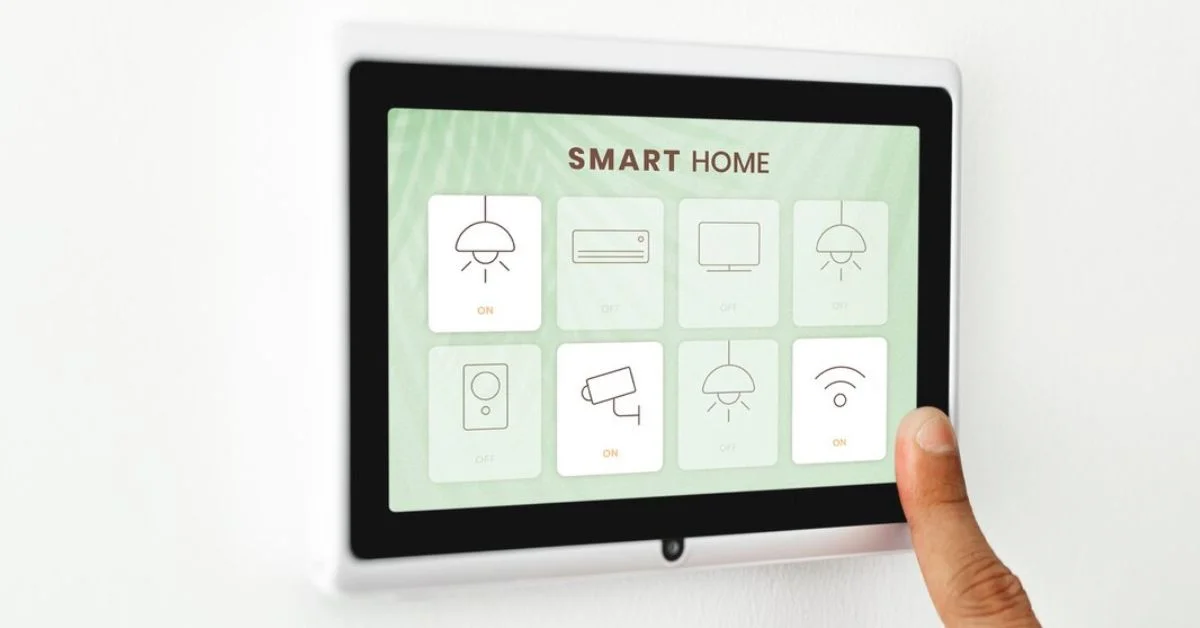
Smart home security integration allows locks, cameras, sensors, lights, alarms, and mobile alerts to work together. This can make the home easier to manage because different security tools are connected instead of operating separately.
For example, motion near the driveway may trigger outdoor lighting and start a camera recording. A doorbell camera may send an alert when a package arrives. A smart lock may show whether a door is locked after everyone leaves.
Integrated systems are helpful when they are simple, reliable, and easy for the household to use. The goal is not to add technology everywhere. The goal is to connect the right tools in the right places.
Outdoor Security Cameras Improve Visibility
Many buyers wish they had installed outdoor security cameras sooner. Cameras help monitor front doors, driveways, garages, porches, side gates, patios, and backyard entrances.
Outdoor cameras can also help with package theft, suspicious movement, contractor visits, vehicle activity, nighttime visibility, and access points used by movers or Utility Technicians. They are especially useful for areas that are hard to see from inside the home.
When choosing outdoor cameras, look for clear video, weather resistance, motion alerts, night vision, reliable storage, and strong Wi-Fi or wired connectivity.
Video Doorbells Are Useful From Day One
A video doorbell is one of the most practical security upgrades for new homeowners. It helps you see visitors, deliveries, service providers, Utility Technicians, and unexpected movement near the front door.
During the first few weeks after moving, deliveries are often frequent. Furniture, internet equipment, tools, appliances, and household essentials may arrive at different times. A video doorbell helps you track porch activity while you are unpacking or away from home.
A front door is one of the busiest areas of the property. Monitoring it early can make the home feel safer and more organized.
Motion Sensors Catch Activity You Might Miss
Motion sensors can help detect movement in key areas such as hallways, garages, entry rooms, basements, and outdoor spaces. They can support alarm systems, lights, cameras, and mobile alerts.
Buyers often wish they had added sensors earlier because they provide awareness without needing to watch cameras constantly.
Sensors are especially useful in areas that are not used often, such as basements, storage rooms, back entrances, detached garages, and other Hidden Entry Points that homeowners may not check every day.
Wireless Home Security Offers Flexible Setup
Wireless home security is useful for buyers who want protection without major wiring or construction. Wireless cameras, sensors, alarms, video doorbells, and smart locks can often be installed more quickly than wired systems.
This is helpful for new homeowners who are still arranging furniture, planning renovations, or learning the home layout. Wireless systems can also be adjusted as needs change.
Before relying on wireless devices, check battery life, Wi-Fi strength, app settings, and device placement. Wireless security works best when it is tested regularly.
Alarm Systems Should Match the Home Layout
An alarm system can protect doors, windows, garages, motion areas, and other vulnerable points. But not every home needs the same setup.
When buyers choose home alarm system features, they should start with the home layout. Count entry doors, sliding doors, garage access, basement access, accessible windows, and Hidden Entry Points around the property. Then consider cameras, sensors, smart locks, smoke detection, flood sensors, and mobile alerts.
A good alarm system should fit the property, lifestyle, pets, travel habits, and budget.
Professional Home Security Monitoring Adds Support
Professional home security monitoring can be useful for homeowners who want support when an alarm is triggered. If you are not home, asleep, traveling, or unable to respond, monitoring may help with alert response depending on the service plan.
Some buyers choose self-monitoring to save money, while others prefer professional monitoring for added peace of mind.
The right option depends on your schedule, property risk, budget, and how quickly you can respond to alerts.
Outdoor Lighting Is Often Installed Too Late
Outdoor lighting is one of the most common features buyers wish they had added sooner. Dark doors, garages, side yards, fences, and back entrances can make the property feel less secure.
Motion-activated lights are helpful because they turn on when someone approaches. Pathway lights, porch lights, driveway lights, and backyard lighting can also improve visibility.
Lighting supports cameras too. A camera may perform better when the area is well-lit, especially at night.
Garage Security Is Often Overlooked
Garages are easy to forget during the buying process, but they can be major security weak points. A garage may hold tools, bikes, vehicles, boxes, and direct access into the home.
Buyers should check garage door openers, side doors, interior doors, windows, keypads, and remote controls. If the home had previous owners, reset garage opener codes immediately.
A garage should be treated as an important entry point, not just a storage space.
Window Sensors Add Protection
Windows are often overlooked until a homeowner realizes how many of them are accessible from outside. Ground-floor windows, basement windows, side windows, and windows near fences or roofs may need extra attention.
Window sensors can alert homeowners if a window opens unexpectedly. They can also work with an alarm system or smart home security integration.
This is a simple feature that can make a big difference, especially in larger homes.
Smart Cameras Help Monitor More Than Crime
Smart cameras are useful for more than burglary concerns. They can help monitor deliveries, children arriving home, pets in the yard, contractors, service technicians, and vehicles in the driveway.
They can also provide video evidence if something is damaged, stolen, or disputed.
Buyers who install cameras early often feel more aware of how people approach and use the property.
How to Prevent Burglary With Early Planning
Many buyers ask how to prevent burglary after they have already moved in. Early planning is more effective.
Start with strong door locks, secure windows, outdoor lighting, cameras, sensors, and an alarm system if needed. Keep the garage closed. Do not leave tools or ladders outside. Remove expensive product boxes from the curb. Make the home look occupied when away.
Burglary prevention is not one device. It is a set of habits and features that make the home harder to target.
Smart Locks and Contractor Access
During the first few months, homeowners may have contractors, cleaners, painters, movers, installers, Utility Technicians, and delivery workers visiting the property. Smart locks can make access easier and safer.
Instead of giving out keys, homeowners can create temporary codes. Once the work is complete, the code can be deleted.
This feature is especially helpful during renovations, repairs, and utility setup.
Cameras Near Driveways and Vehicles
Driveways are important security areas because they often contain vehicles, tools, bikes, deliveries, and garage access. Buyers may not think about driveway cameras until something happens near a car or garage.
A camera covering the driveway can help monitor vehicles, visitors, deliveries, technician visits, and nighttime movement.
If the driveway is long or partially hidden, lighting and camera placement become even more important.
Security Features for Backyards
Backyards can have several vulnerable points, including patios, sliding doors, sheds, fences, gates, basement access, and side entrances.
Buyers often focus on the front door first, but backyard security matters too. Add lighting near back entrances, lock gates, secure sheds, and consider cameras or sensors in key areas.
A private backyard should not become an unmonitored access route.
A Security Checklist for Homes Helps Buyers Prioritize
A Security Checklist for Homes can help buyers decide which upgrades matter most before they spend money. Instead of buying random devices, homeowners can walk through the property and identify weak spots.
A practical checklist should include door locks, window locks, garage access, basement access, sliding doors, outdoor lighting, security cameras, motion sensors, smart locks, alarm systems, and professional monitoring options.
The checklist should also include service access points. Utility Technicians may need to enter garages, side yards, basements, utility rooms, or exterior meter areas. These areas should be safe for service work but still protected when appointments are finished.
Hidden Entry Points Buyers Should Check Early
Hidden Entry Points are often missed during the excitement of buying a home. These may include side doors, basement windows, garage side doors, sliding patio doors, crawl spaces, fence gates, sheds, and back entrances.
Buyers should inspect these areas before move-in when possible. A hidden access point can become a security concern if it has poor lighting, weak locks, damaged frames, or no camera coverage.
Early checks help homeowners choose better camera placement, stronger locks, and the right alarm sensors.
Home Security Trends Buyers Should Know
Home security trends now include integrated smart systems, wireless home security, mobile alerts, video doorbells, outdoor cameras, smart locks, voice control, and professional monitoring.
These trends can be useful, but homeowners should avoid choosing technology only because it sounds advanced. The best security features solve real problems in the home.
Start with the layout, daily routine, risk points, and Hidden Entry Points. Then choose devices that fit those needs.
Security Features for Families
Families may need security features that support daily routines. Video doorbells can show when children arrive home. Smart locks can prevent lost-key problems. Cameras can monitor driveways or yards. Sensors can alert parents if doors open unexpectedly.
Families should also teach basic habits: lock doors, close the garage, do not open the door to strangers, and report unusual activity.
Technology helps, but family routines still matter.
Security Features for Frequent Travelers
Frequent travelers often benefit from smart locks, cameras, alarm systems, professional monitoring, and lighting automation.
These features can help homeowners check the property remotely, manage access for trusted people, and make the home look occupied while away.
If you travel often, choose features that support remote access and reliable alerts.
Security Features for New Construction Homes
New construction homes may include some smart features, but buyers should not assume the security setup is complete. Builder-installed devices may still need account setup, password changes, camera adjustments, or monitoring activation.
Check locks, garage access, outdoor lighting, camera coverage, alarm readiness, and service access points before assuming the home is fully protected.
If smart devices were pre-installed, make sure old installer or builder access is removed.
Security Features for Older Homes
Older homes may need more attention to doors, windows, frames, basement access, garage doors, and lighting. Old locks and weak window hardware can create easy access points.
Wireless home security can be useful in older homes because it may reduce the need for major wiring. Outdoor security cameras, smart locks, and sensors can often be added gradually.
Start with entry points before adding advanced automation.
Budgeting for Security Features
Security upgrades can be affordable or expensive depending on the system. Buyers should think about both upfront costs and monthly costs.
Smart locks, motion lights, and basic cameras may be one-time purchases. Alarm systems and professional monitoring may include monthly fees. Larger smart home security integration may cost more depending on equipment and installation.
A practical budget starts with the most important risks first.
How Get Home Utilities Helps
Get Home Utilities helps homeowners connect essential services, including Home Security Service, so buyers can plan better protection before problems happen.
Whether you are moving into a new home, comparing alarm systems, adding outdoor security cameras, reviewing wireless home security, preparing for Utility Technicians, or considering professional home security monitoring, planning early makes the process easier.
Security features are most effective when they are chosen before the home’s weak points become daily frustrations.
Highlighted Takeaway
Get Home Utilities helps homeowners connect essential services, including Home Security Service, so smart locks, cameras, alarm systems, wireless home security, professional monitoring, and property access planning are easier to manage from the start.
Final Thoughts
The security features buyers wish they had installed earlier are often simple but important: smart locks, outdoor security cameras, motion sensors, video doorbells, alarm systems, lighting, and monitoring.
Early planning helps homeowners protect entry points, manage access, watch deliveries, improve visibility, prepare for Utility Technicians, and respond faster to alerts. Smart home security integration and wireless home security can add flexibility, especially when the system is built around the actual home layout.
A safer home begins before something goes wrong. Use a Security Checklist for Homes, inspect Hidden Entry Points, choose the right features early, and keep your security setup updated as your needs change.
Frequently Asked Questions
Which security features should buyers install first?
Buyers should start with door locks, outdoor lighting, video doorbells, outdoor security cameras, window sensors, garage security, and an alarm system if needed.
How can I prevent burglary at a new home?
You can help prevent burglary by securing doors and windows, using smart locks, adding outdoor cameras, improving lighting, setting alarms, and keeping the home active-looking when away.
What should a Security Checklist for Homes include?
A Security Checklist for Homes should include door locks, window locks, garage access, outdoor lighting, cameras, sensors, alarm systems, smart locks, Hidden Entry Points, and areas used by Utility Technicians.
Is wireless home security good for new homeowners?
Yes, wireless home security can be useful because it is flexible, easier to install, and can be adjusted as homeowners learn the property layout.
How do I choose home alarm system features?
Choose home alarm system features by identifying entry points, windows, garages, basement access, camera needs, monitoring preferences, Hidden Entry Points, and daily household routines.
Is professional home security monitoring worth it?
Professional home security monitoring may be worth it if you travel often, work long hours, miss alerts, or want additional response support when alarms are triggered.
Why are outdoor security cameras important?
Outdoor security cameras help monitor doors, garages, driveways, porches, side gates, backyards, and service access areas so homeowners can see activity around key access points.
