
Blog
Internet Backup Plans for Power Outages and Emergencies

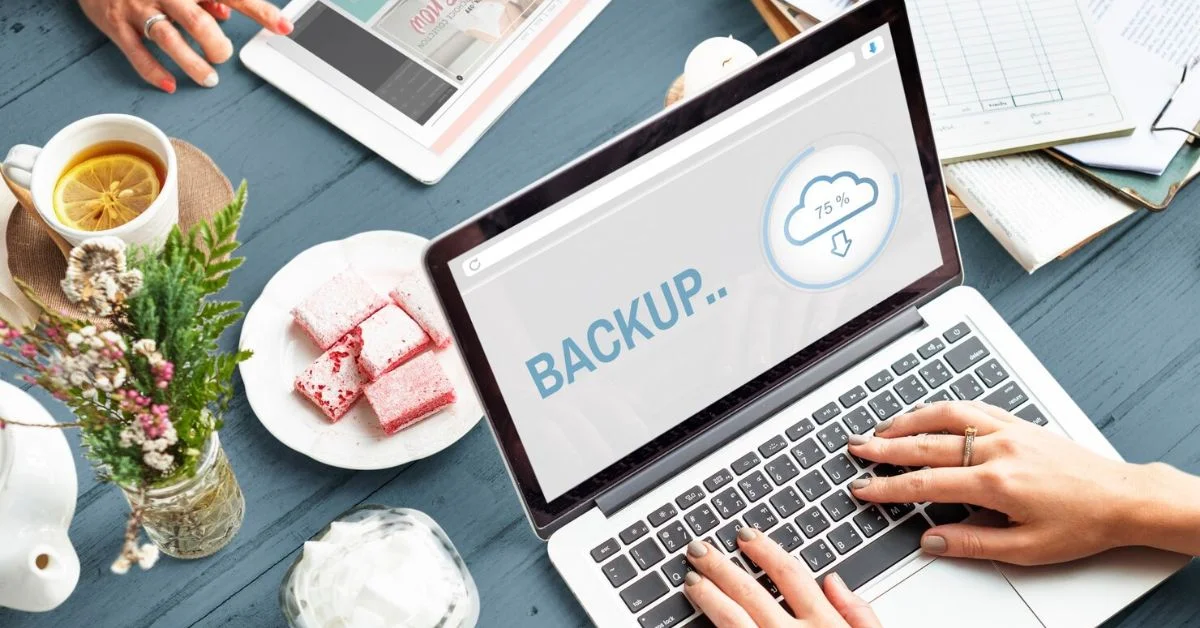
A power outage can interrupt more than lights and appliances. It can also cut off internet access, stop remote work, disconnect smart devices, delay school assignments, interrupt security cameras, and make it harder to stay updated during an emergency. For many households, internet is now part of basic preparedness.
Internet backup plans help keep your home connected when the main connection fails. A good backup plan may include mobile hotspots, cellular internet, backup power, battery backup devices, emergency preparedness tools, and a clear plan for staying online during outages.
You do not need a complicated setup for every situation. The right backup depends on how your family uses the internet, whether you work from home, which devices matter most, and how often outages happen in your area. It also depends on avoiding common Internet Mistakes During Relocation, understanding Internet Speed for Smart Homes, and preparing for Internet Setup Challenges before an outage happens.
Why Internet Backup Plans Matter
Many people only think about backup internet after a power outage or service disruption has already happened. By then, they may be trying to join a work meeting, check storm updates, contact family, or keep security cameras running without a stable connection.
Internet outages can happen for several reasons. A storm may damage utility lines. A power outage may shut down your modem and router. Your internet provider may have a service issue. Construction work may cut a line. Network congestion may affect service during an emergency.
A backup plan gives your household another way to stay connected when the main Internet Service is unavailable.
Internet Outages Are Not Always the Provider’s Fault
When the internet stops working, many people blame the provider immediately. Sometimes the ISP is the problem, but not always. Your modem, router, power supply, cables, Wi-Fi coverage, or local electricity outage may be the real cause.
If your modem and router lose power, your home internet will stop even if the provider’s network is still working. If the power is on but the internet is down, the issue may be outside your home. If Wi-Fi is weak in only one room, the problem may be router placement, not the internet line.
Understanding the cause helps you choose the right backup solution. It can also help you avoid Internet Mistakes During Relocation, such as placing the router in the wrong room, forgetting backup power, or assuming every outage is caused by the provider.
Backup Power for Your Modem and Router
One of the simplest ways to keep internet running during a short power outage is backup power. Your modem and router need electricity to work. If they shut off, your Wi-Fi shuts off too.
A battery backup, also called a UPS, can keep your modem and router powered for a limited time. This can be enough for short outages, work calls, messages, or checking emergency updates.
A battery backup does not fix provider outages, but it helps when your internet line is active and only your home power is out.
Mobile Hotspots as a Backup Option
Mobile hotspots are one of the most practical internet backup plans for many households. A hotspot uses cellular internet to connect your devices when home internet is unavailable.
You can use a dedicated hotspot device or turn your smartphone into a hotspot if your mobile plan allows it. This can help with email, messaging, browsing, light work tasks, and basic school assignments.
However, mobile hotspots depend on cellular signal strength. If the mobile network is weak or congested during an emergency, performance may drop. Data limits can also be a problem if you stream, download large files, or use video calls for long periods.
Cellular Internet for Longer Disruptions
Cellular internet can be useful if outages happen often or if your household needs a stronger backup than phone tethering. Some people use cellular home internet as a secondary connection, especially in areas where wired internet is unreliable.
Cellular internet may support more devices than a phone hotspot, depending on the plan and equipment. It can also be easier for families because multiple people can connect without draining one phone’s battery.
The downside is cost. A separate cellular internet plan adds another monthly bill, so it makes sense mostly for remote workers, business owners, families with frequent outages, or homes where connectivity is critical.
Backup Internet for Remote Work
Remote workers should take internet backup seriously. Losing internet during a meeting, deadline, client call, or file upload can create real problems.
A basic backup plan for remote work may include a mobile hotspot, extra hotspot data, a fully charged laptop, battery backup for modem and router, and a nearby coworking space or trusted location with internet.
If your job depends on constant access, test your backup before an outage happens. Make sure your laptop can connect to the hotspot, your work apps load properly, and your video calls are stable enough for emergency use.
Backup Internet for Students
Students also need reliable internet for online classes, homework platforms, school portals, research, and digital assignments. A sudden outage can interrupt study time or delay submissions.
Families with students should have at least one backup method, such as phone hotspot access or a nearby location where assignments can be completed if home internet fails.
For younger students, parents should also keep important login details, school portal links, and assignment instructions available offline when possible. This makes it easier to continue work even if the connection is limited.
Backup Internet for Smart Homes
Smart homes depend heavily on internet access. Security cameras, smart doorbells, thermostats, smart locks, speakers, and connected lighting may lose features when internet goes down.
Some devices may continue basic functions locally, but app control, alerts, cloud recordings, and remote access may stop. This can be a concern during emergencies or when you are away from home.
If your home uses security cameras or smart doorbells, think about which devices should stay online during an outage. A battery backup for networking equipment and a cellular backup option can help keep key systems active longer.
Internet Speed for Smart Homes
Internet Speed for Smart Homes matters because connected devices can place steady demand on your network. Security cameras, video doorbells, smart TVs, gaming systems, speakers, thermostats, and work devices may all compete for bandwidth.
During an outage, backup internet may not support every device at full performance. This is why homeowners should decide which smart devices matter most during an emergency.
If your backup connection is limited, prioritize security cameras, phones, laptops, medical devices if applicable, and essential communication tools. Save streaming, gaming, large downloads, and nonessential smart devices for when normal Internet Service returns.
Security Cameras and Emergency Connectivity
Security cameras can be important during outages, especially if storms, evacuations, or neighborhood disruptions are happening. But cameras need both power and connectivity to send alerts or upload footage.
If cameras are plugged into outlets, they may stop working when power goes out. If they are battery-powered but depend on Wi-Fi, they may still lose internet if the router shuts down.
For stronger emergency preparedness, consider battery-powered cameras, backup power for your router, and a backup connection if security monitoring is a priority.
Internet Setup Challenges Can Affect Backup Plans
Internet Setup Challenges can make outages harder to manage if they are not fixed early. Poor router placement, weak Wi-Fi coverage, limited outlets, messy cable locations, old equipment, or a modem placed far from important devices can all create problems during an emergency.
These issues are especially common after moving into a new home. You may not know where the best signal is yet, which rooms have weak coverage, or whether smart devices can stay connected during a disruption.
Testing your setup before an outage helps you find problems while you still have time to fix them.
What to Keep Online First
During an outage, not every device needs internet. Backup connections often have limited speed, battery life, or data. Prioritize the devices that matter most.
Keep phones, laptops, security systems, medical devices if applicable, and essential work or school devices at the top of the list. Avoid streaming, gaming, large downloads, or automatic backups during backup mode.
This helps preserve data, battery, and connection quality for important tasks.
How to Reduce Data Use During Backup Mode
Backup internet can be limited, especially when using a mobile hotspot. To make it last longer, reduce high-data activities.
Turn off automatic cloud backups. Pause software updates. Avoid 4K streaming. Close background apps. Use audio-only calls when possible. Download important files ahead of time if you know a storm or outage may happen.
Small changes can help your backup connection support essential work for longer.
Emergency Preparedness Starts Before the Outage
Good emergency preparedness is about planning before something goes wrong. Do not wait until the lights go out to test your hotspot, charge your power bank, or look for your router’s power adapter.
Keep a small internet emergency kit. It may include a power bank, charging cables, battery backup, hotspot device, provider support number, Wi-Fi password, and printed emergency contacts.
If you live in an area with frequent storms, outages, or service interruptions, review your plan every few months. This also helps you catch Internet Setup Challenges early and avoid Internet Mistakes During Relocation that could affect your connection later.
Battery Backup for Phones and Laptops
Backup internet is not useful if your devices are dead. Keep phones, laptops, tablets, and hotspot devices charged when severe weather is expected.
Power banks are useful because they can keep phones and hotspots running longer. Larger battery stations can support laptops and networking equipment, depending on capacity.
Remote workers and families with students should keep chargers in an easy-to-access location instead of packed away or scattered around the home.
Router Placement Still Matters During Backup
Even during normal service, router placement affects Wi-Fi performance. During an outage, it can matter even more because you may have limited time and power.
A router placed in a central, open location can help more devices connect efficiently. A router hidden in a closet, basement, or cabinet may reduce coverage and waste backup power while devices struggle to stay connected.
If your Wi-Fi feels weak even when the internet is working, fix that issue before an emergency happens.
Test Your Backup Plan Regularly
A backup plan is only useful if it works. Test your mobile hotspot, battery backup, and emergency setup before you need them.
Try connecting your laptop to your hotspot. Check whether your work tools, school portals, or communication apps work. Test how long your battery backup can power the modem and router. Make sure your family knows the Wi-Fi password and basic steps.
Testing also helps you find problems early, such as weak cellular signal, expired data plans, missing chargers, or outdated hotspot settings.
When Your Internet Keeps Disconnecting
If your internet keeps disconnecting even when there is no power outage, you may need to fix the main connection before relying on backup options. Frequent disconnections may be caused by old equipment, loose cables, weak Wi-Fi, network congestion, poor router placement, or an ISP issue.
Start with a simple check. Restart the modem and router, inspect cables, update firmware, run a speed test, and test the connection near the router. If disconnects continue across the whole home, contact your provider.
Backup internet should support emergencies, but it should not become a daily replacement for an unreliable primary connection.
Internet Backup Plans for Families
Families need backup plans that are simple enough for everyone to follow. If only one person knows how the hotspot works, the plan may fail when that person is away.
Write down basic steps. Show family members how to connect to the hotspot, where backup batteries are stored, and which devices should be prioritized.
For families with children, explain that backup internet is for important tasks first. Streaming and gaming can wait until the main connection returns.
Internet Backup Plans for Homeowners Who Travel
If you travel often, backup internet can help keep smart home and security devices connected while you are away. A power outage or internet failure can stop remote access to cameras, doorbells, and smart systems.
A battery backup may keep equipment running during short outages. Cellular backup can help if your main internet line goes down, depending on the setup.
Traveling homeowners should also make sure security devices have enough battery, apps are updated, and emergency contacts can access the home if needed.
Compare Backup Costs Before Choosing
Internet backup plans can be affordable or expensive depending on the setup. A phone hotspot may already be included in your mobile plan. A dedicated hotspot or cellular internet plan may add monthly cost. A battery backup is usually a one-time purchase.
Before spending more, think about how often outages happen and how much internet downtime affects your household.
If you only need occasional backup for short outages, a phone hotspot and battery backup may be enough. If you work remotely every day or need security systems online, a stronger backup may be worth it.
How Internet Backup Can Help Lower Stress
A backup plan does not only protect your connection. It also lowers stress. During an outage, you do not have to panic, search for solutions, or wonder how to contact work, school, or family.
You already know what to do. You know which device to use, which connection to switch to, and which tasks to prioritize.
This gives your household more control during emergencies.
How Get Home Utilities Helps
Setting up reliable home services is easier when you plan them together. Get Home Utilities helps homeowners connect essential services, including Internet Service, so daily routines and emergency needs are easier to manage.
Whether you are moving into a new home, choosing internet for remote work, planning smart home devices, or preparing for outages, the right service setup matters.
Internet backup starts with understanding your main connection and choosing support options that fit your household.
Highlighted Takeaway
Get Home Utilities helps homeowners compare and connect essential services, including Internet Service, so internet backup plans, emergency preparedness, and everyday connectivity are easier to manage at home.
Final Thoughts
Internet backup plans are no longer just for offices or tech-heavy homes. They are useful for families, remote workers, students, smart homes, and anyone who depends on reliable connectivity.
A good backup plan may include mobile hotspots, cellular internet, backup power, battery backup, emergency contacts, and a clear device priority list. The goal is not to keep every device running normally during an outage. The goal is to keep essential communication, work, school, and security needs connected.
Plan before the outage, test your backup options, and keep the right tools ready. A little preparation can make emergencies easier to handle.
Frequently Asked Questions
What are internet backup plans?
Internet backup plans are backup options that help you stay connected when your main internet service fails. They may include mobile hotspots, cellular internet, battery backup, and backup power.
Can a mobile hotspot replace home internet during an outage?
A mobile hotspot can help during short outages, but it may not fully replace home internet for heavy streaming, gaming, large downloads, or full remote workdays.
Do I need backup power for my router?
Yes, backup power can keep your modem and router running during short power outages if the internet provider’s network is still active.
What should I connect first during an outage?
Prioritize phones, work laptops, school devices, security systems, and essential communication tools before streaming or entertainment devices.
How often should I test my internet backup plan?
Test your backup plan every few months or before storm seasons, major travel, remote work deadlines, or any period when losing internet would create serious problems.
