
Blog
Smart Home Devices That Create Unexpected Security Risks

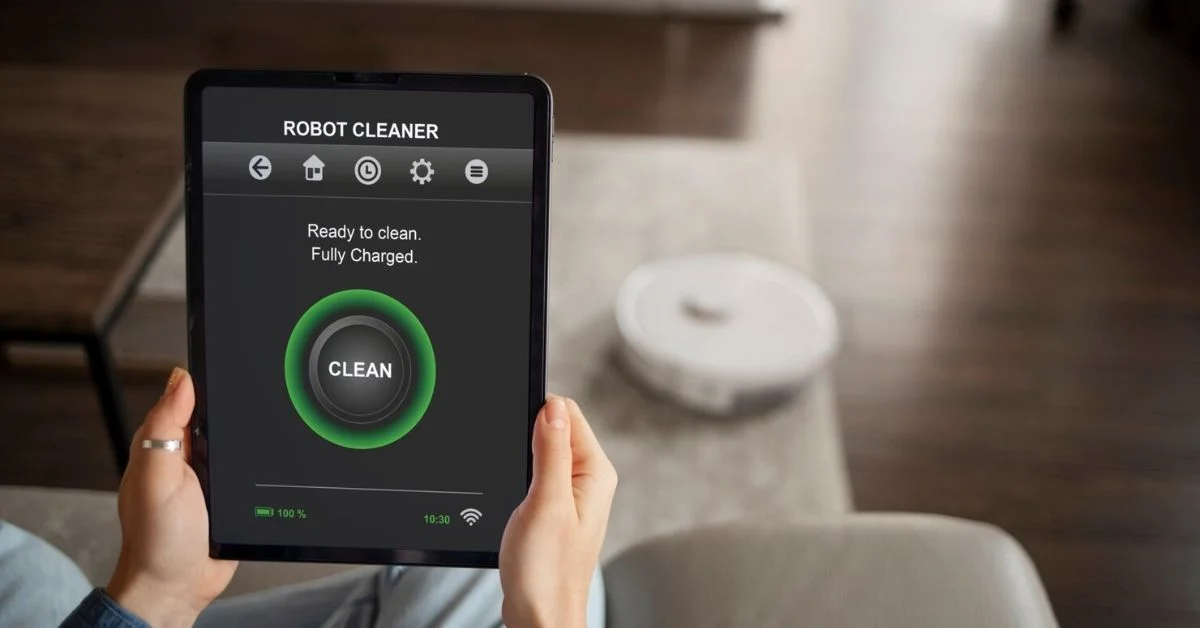
Smart home devices can make daily life easier. You can lock a door from your phone, check a camera while away, control lights with voice commands, adjust the thermostat from bed, and receive alerts when someone approaches the front door. But convenience can also create risks if the devices are not set up and managed properly.
Smart home security risks happen when connected devices, weak passwords, outdated software, unsecured Wi-Fi, poor account settings, or exposed cameras create openings that homeowners do not expect. A smart device may feel harmless, but if it connects to your network, stores video, controls access, or shares data through an app, it needs to be protected.
A safer smart home does not mean avoiding technology. It means using smart home security carefully, updating devices, securing your network, and building Security Habits that reduce preventable problems. A simple Security Checklist for Homes can also help homeowners review smart devices, passwords, camera access, lock settings, and Wi-Fi security before small issues turn into bigger risks.
Why Smart Home Devices Can Create Security Risks
Smart devices work because they connect to the internet, apps, cloud platforms, Wi-Fi networks, and sometimes other devices in the home. This connection is what makes them useful, but it also creates potential weak points.
A smart lock controls entry. A camera records video. A thermostat tracks routines. A speaker listens for commands. A video doorbell captures visitors. A smart garage opener controls access to one of the largest entry points in the home.
If these devices are not protected, they can create privacy, access, or safety concerns. This is why smart security planning should be part of any modern home setup.
Weak Passwords Are a Common Problem
One of the biggest smart home security risks is a weak password. Many people use simple passwords, repeat the same password across multiple apps, or forget to change default login details.
If someone gains access to a smart home account, they may be able to view cameras, control devices, unlock doors, or change settings depending on the system.
Use strong, unique passwords for every smart home account. Avoid passwords based on birthdays, names, phone numbers, addresses, or common words. A password manager can help keep everything organized.
Default Settings Can Leave Devices Exposed
Some smart devices come with default settings that are designed for easy setup, not maximum security. Default usernames, default passwords, open sharing settings, or weak privacy settings can create risks.
After installing any smart device, review the settings. Change login details, turn off features you do not use, check account sharing, and remove old users.
This is especially important after moving into a home with existing smart devices. Previous owners, tenants, contractors, or installers may still have access if accounts were not reset.
Unsecured Wi-Fi Can Put Devices at Risk
Smart devices depend on Wi-Fi. If your home Wi-Fi is not secure, connected devices may also be vulnerable.
Use a strong Wi-Fi password and avoid sharing it too casually. If your router supports a guest network, use it for visitors instead of giving out your main network password.
For larger smart homes, it may also help to separate smart devices from work computers or personal devices where possible. This keeps one issue from affecting the entire network.
Outdated Device Software
Smart devices need updates just like phones and computers. Updates may fix bugs, improve performance, and close security gaps.
If devices are not updated, they may become easier to attack or less reliable over time. Some devices update automatically, while others require manual updates through an app.
Check device updates regularly. This includes smart cameras, smart locks, speakers, hubs, thermostats, routers, and security systems.
Smart Cameras Can Create Privacy Concerns
Smart cameras are useful for monitoring doors, driveways, garages, porches, and indoor areas. But cameras also create privacy risks if they are not placed or secured carefully.
Outdoor cameras should focus on your property and avoid unnecessary views into neighbors’ windows or private spaces. Indoor cameras should be used carefully, especially in bedrooms, bathrooms, or private family areas.
The best home security setup balances visibility with privacy. Cameras should protect the home without making family members or guests uncomfortable.
Video Doorbells Can Reveal More Than You Think
Video doorbells are popular because they show visitors, deliveries, and movement near the front door. But they may also collect frequent video clips, audio, motion data, and visitor patterns.
If the account is not secured, someone could gain access to doorbell footage. If notifications are shared too widely, too many people may receive alerts or view video.
Review who has access to the doorbell app. Use strong passwords and two-factor authentication where available.
Smart Locks Need Careful Access Control
Smart locks can be very convenient. You can create temporary codes for family, cleaners, contractors, or guests. You can also lock or unlock doors through an app.
The risk comes when access is not managed properly. Old codes may remain active. Too many people may have app access. A weak account password may expose the lock.
Review access codes regularly. Delete codes for people who no longer need access. Avoid using obvious codes like birth years, repeated numbers, or house numbers.
Smart Speakers and Voice Control
Voice control is useful, but it should be managed carefully. Smart speakers may control lights, locks, alarms, thermostats, or other devices depending on the setup.
If voice commands are too open, someone may be able to control devices from nearby or through an open window, depending on the system and settings.
Review voice control permissions. Avoid connecting sensitive actions, such as unlocking doors, without extra protection. Also check privacy settings and delete stored voice recordings if you prefer not to keep them.
Smart Thermostats Can Reveal Routines
Smart thermostats are mainly used for comfort and energy savings, but they can also reveal patterns. They may show when people are home, away, sleeping, or on vacation.
This does not mean smart thermostats are unsafe. It means account security matters. If someone gains access to the app, they may learn household routines or change settings.
Use strong passwords, update the app, and avoid sharing login access unnecessarily.
Smart Garage Openers Can Be Overlooked
A garage is a major entry point, but many homeowners focus more on the front door. Smart garage openers allow remote access, alerts, and automation, but they must be secured properly.
Check who has access to the garage app. Remove old users. Review notification settings. Make sure the garage door closes fully and does not remain open by mistake.
If your garage connects to the main home, treat it as a high-priority entry point.
Build Better Security Habits for Smart Devices
Strong Security Habits can reduce many smart home security risks. Make it a routine to update apps, change weak passwords, review user access, check camera views, test alerts, and remove old device permissions.
These habits are especially important after moving into a new home, hiring contractors, changing Wi-Fi settings, or adding new smart devices. The more connected your home becomes, the more important regular security checks become.
Smart home safety is not a one-time setup. It is an ongoing routine.
Add Smart Devices to Your Security Checklist for Homes
A practical Security Checklist for Homes should include smart devices, not just doors and windows. Homeowners should review every connected device that controls access, records video, sends alerts, or connects to the home network.
Your checklist may include smart locks, smart cameras, video doorbells, smart garage openers, smart speakers, thermostats, routers, security apps, shared users, passwords, two-factor authentication, and software updates.
Adding smart devices to the checklist helps homeowners stay organized and avoid forgotten access points.
Smart Lights Can Improve Security
Smart lights are often seen as convenience devices, but they can support home security. They can create the appearance of activity, turn on when motion is detected, and support outdoor lighting routines.
However, lighting automation should be reliable. If lights fail to turn on because of weak Wi-Fi or incorrect settings, the home may look darker than expected.
Use lighting schedules wisely. Outdoor lights near doors, garages, pathways, and driveways can reduce hiding spots and improve visibility.
Smart Hubs Can Become Central Weak Points
Some homes use a smart hub to connect multiple devices. The hub may control lights, sensors, locks, cameras, thermostats, and alarms.
If the hub account is compromised, several devices may be affected at once. This makes hub security especially important.
Keep the hub updated, use a strong account password, and review which devices are connected. Remove old or unused devices from the system.
Too Many Apps Can Create Confusion
Many homeowners build smart homes one device at a time. Over time, they may have different apps for cameras, locks, thermostats, lights, speakers, garage doors, and sensors.
This can become difficult to manage. You may forget which app controls which device, who has access, or which account needs an update.
Create a simple list of smart devices, apps, login emails, and access permissions. This makes smart home security easier to maintain.
Home Security Systems and Smart Devices
Many home security systems now include smart devices such as cameras, sensors, locks, video doorbells, lights, and mobile app controls. This can be helpful because everything works together in one system.
However, an integrated system still needs proper setup. Check passwords, monitoring settings, user access, device updates, camera placement, and alerts.
A connected home security system can reduce risk when it is managed well. It can create risk when it is ignored after installation.
Home Security Monitoring Adds Support
Home security monitoring can add another layer of protection when smart devices are connected to an alarm system. If a sensor or alarm is triggered, a monitoring service may help with alert response depending on the plan.
This can be useful for homeowners who travel, work long hours, or cannot always respond to app notifications immediately.
Monitoring does not replace basic security habits, but it can support a stronger overall system.
Professional Monitoring vs Self-monitoring
Some homeowners prefer self-monitoring because they want control and lower monthly costs. Others prefer professional monitoring because they want support when alerts happen.
Self-monitoring depends on you seeing and responding to notifications. Professional monitoring can provide additional response support when alarms are triggered.
The right choice depends on your budget, schedule, property risk, and comfort level. If you often miss alerts or travel frequently, professional monitoring may be worth considering.
How to Prevent Burglary With Smart Devices
Many people ask how to prevent burglary with smart technology. The answer is not one device. It is a layered setup.
Use strong door locks, working window locks, visible cameras, motion lights, smart alerts, and a monitored alarm if needed. Keep entry points well-lit. Use smart lighting schedules when away. Do not leave packages outside. Review camera footage when alerts seem unusual.
Smart devices help most when they support basic security habits.
Secure the Router First
Your router is the center of your connected home. If the router is weak or poorly secured, every smart device can be affected.
Change the default router password. Use strong Wi-Fi encryption. Update router firmware. Place the router where Wi-Fi can reach key devices. Create a guest network for visitors.
Smart home security starts with network security.
Use Two-factor Authentication
Two-factor authentication adds another step when logging into an account. Even if someone gets your password, they may still need a code from your phone or email.
Use two-factor authentication for smart home apps whenever available, especially cameras, locks, alarms, and security platforms.
This small step can greatly reduce account access risks.
Remove Old Users and Shared Access
Smart home devices are often shared with family members, roommates, contractors, guests, or previous residents. Over time, access can become messy.
Review users regularly. Remove anyone who no longer needs access. Delete temporary codes. Change passwords after moving, renovations, breakups, tenant changes, or contractor work.
Access control is one of the simplest ways to reduce smart home security risks.
Be Careful With Automation
Automation can make life easier, but it should be planned carefully. A routine that unlocks a door, opens a garage, or turns off security features at the wrong time can create risk.
Test automation rules and avoid making them too broad. For example, lights turning on automatically is low risk. Doors unlocking automatically may need more caution.
Automation should make your home safer and easier, not less secure.
Watch for Device End-of-life Issues
Some smart devices stop receiving updates after a certain period. When this happens, the device may become less secure over time.
If a camera, smart lock, or hub no longer receives updates, consider replacing it. Old connected devices can become weak spots in an otherwise strong home security setup.
Check manufacturer support when buying new devices and review older devices every year.
Build a Smart Home Security Checklist
A practical checklist helps you manage connected devices without forgetting important steps.
Include:
Change default passwords
Use strong Wi-Fi security
Update router firmware
Update smart device apps
Enable two-factor authentication
Review camera placement
Remove old users
Delete old lock codes
Check smart speaker permissions
Test sensors and alerts
Review automation routines
Check monitoring settings
Replace unsupported devices
A checklist turns smart home security into a routine instead of a one-time setup.
Smart Security for Renters
Renters can also use smart home security, but they need renter-friendly options. Wireless cameras, video doorbells, door sensors, smart plugs, and portable alarms may be easier than permanent installations.
Always check lease rules before installing cameras, smart locks, or mounted devices.
Renters should also change app passwords, secure Wi-Fi, and avoid sharing access too widely.
Smart Security for Homeowners
Homeowners have more flexibility. They can install outdoor cameras, smart locks, lighting automation, alarm systems, sensors, and monitoring services.
Start with the most important entry points. Then add smart devices where they solve real problems. Avoid buying technology only because it looks impressive.
A smart home should be practical, secure, and easy to manage.
How Get Home Utilities Helps
Setting up a safe and connected home involves more than internet and electricity. Get Home Utilities helps homeowners connect essential services, including Home Security Service, so they can plan smarter protection for everyday life.
Whether you are moving into a new home, upgrading cameras, adding smart locks, comparing home security systems, or thinking about monitoring, planning the setup early can reduce future problems.
Smart home security works best when the right services, devices, and habits are connected from the beginning.
Highlighted Takeaway
Get Home Utilities helps homeowners connect essential services, including Home Security Service, so smart home security, home security systems, monitoring, and everyday protection are easier to plan and manage.
Final Thoughts
Smart home security risks usually come from weak passwords, outdated software, unsecured Wi-Fi, poor device settings, unmanaged access, and overcomplicated automation. The devices themselves can be useful, but they must be set up properly.
Smart cameras, smart locks, video doorbells, thermostats, speakers, sensors, hubs, and alarm systems all need attention. Secure your accounts, update your devices, review access, and protect your Wi-Fi.
A smart home should make life easier and safer. With the right setup and habits, you can enjoy convenience without creating unnecessary risk.
Frequently Asked Questions
What are common smart home security risks?
Common risks include weak passwords, outdated device software, unsecured Wi-Fi, exposed cameras, old user access, unsafe automation, and poor account settings.
Are home security systems safer with smart devices?
Home security systems can be safer with smart devices when they are properly secured, updated, monitored, and managed through strong passwords and controlled access.
How does home security monitoring help smart homes?
Home security monitoring can support alert response when sensors or alarms are triggered, especially if homeowners are away or miss app notifications.
How can I prevent burglary with smart home devices?
You can help prevent burglary by using strong locks, smart cameras, motion lighting, sensors, alarms, alerts, and smart lighting routines while still securing doors and windows.
Are smart locks safe?
Smart locks can be safe when passwords are strong, access codes are managed, software is updated, and old users are removed.
Should I use two-factor authentication for smart home apps?
Yes, two-factor authentication is a strong security step for smart cameras, locks, alarms, hubs, and other connected home security devices.
