
Blog
Upgrading Home Wiring for High-Speed Internet

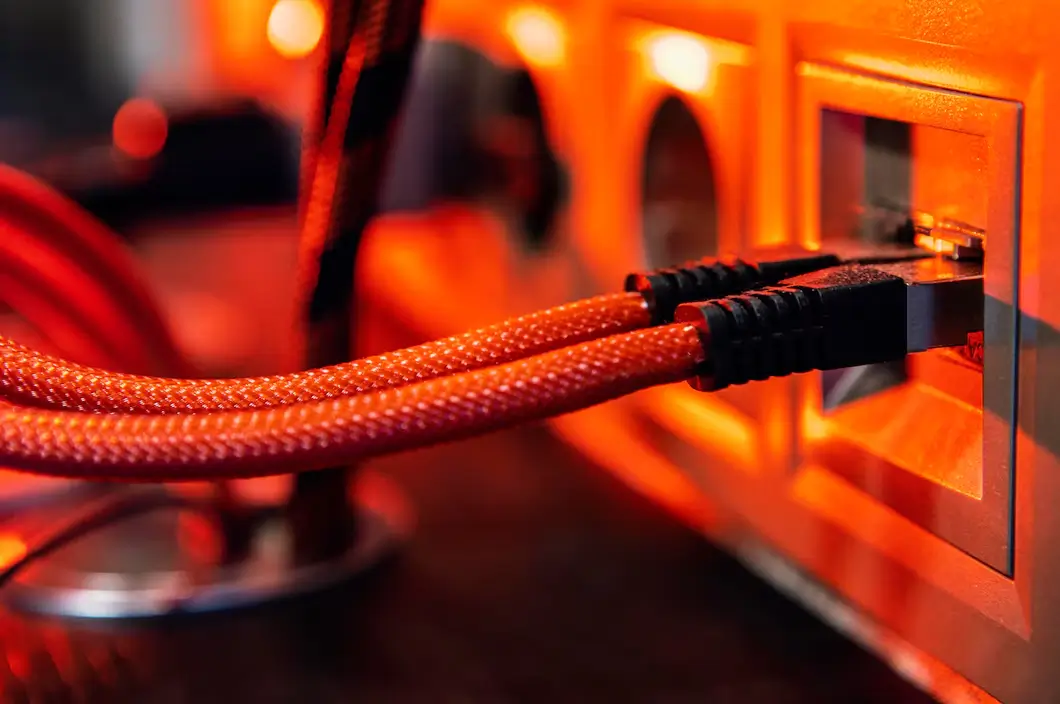
Your internet speed isn’t just about your provider. Even if you’re paying for gigabit fiber, outdated or poorly installed home wiring can keep you from experiencing the full potential of your connection. Old coax cables, low-grade Ethernet, or sloppy installations can throttle speeds, increase latency, and cause frustrating drops.
The good news is that a wiring upgrade can dramatically improve performance. Whether it’s swapping out coax, running new Cat6 Ethernet, or adding a fiber drop directly into your home, modern wiring ensures your connection matches what your provider delivers.
Why Wiring Matters
Your provider can only bring internet into your home they can’t guarantee the quality of the wiring inside your walls. Common issues include:
- Old coax cables that weren’t designed for high-speed data.
- Outdated Ethernet cables (Cat5) that max out at 100 Mbps.
- Signal loss from long cable runs or poorly placed splitters.
- Electrical interference when cables aren’t properly shielded.
These problems make a noticeable difference, especially for households balancing internet for streaming, gaming, and work-from-home.
Step 1: Evaluate Your Current Setup
Before you upgrade, assess what you’re working with:
- Coaxial cables: Are they RG6 (newer) or RG59 (older)? RG59 often can’t handle gigabit speeds.
- Ethernet cables: Cat5, Cat5e, Cat6, or Cat6a? For gigabit or faster, Cat6 or better is ideal.
- Jacks and outlets: Are connections loose or corroded?
- Router location: Are long runs of cable creating unnecessary signal loss?
A quick inspection helps you identify weak points.
Step 2: Choose the Right Ethernet
For wired connections, Ethernet is the gold standard.
- Cat5e: Supports up to 1 Gbps over short distances.
- Cat6: Handles up to 10 Gbps over 55 meters.
- Cat6a: Better shielding, supporting 10 Gbps over 100 meters.
- Cat7/Cat8: Professional-grade, often overkill for home use.
If you’re serious about future-proofing, Cat6 or Cat6a is the sweet spot. This is especially important for gamers concerned with fiber vs cable gaming, where latency and jitter matter as much as raw speed.
Step 3: Consider a Fiber Drop
If you’re lucky enough to have fiber service available, ask your provider about installing a fiber drop directly into your home. Instead of converting fiber to copper at the curb, a fiber drop delivers full fiber performance right into your router.
This upgrade is essential if you want symmetrical gigabit speeds where upload speed and download speed are equally fast. Providers may charge installation fees, but the long-term performance benefits are worth it.
Step 4: Upgrade Coaxial Cables for Cable Internet
If you use cable internet, modern coax matters too. Older RG59 cables can cause significant signal loss. Upgrading to RG6 ensures your line can handle higher frequencies and faster speeds.
Also check for unnecessary splitters each splitter reduces signal quality. Ideally, run a direct line from the main connection point to your modem.
Step 5: Decide Between DIY and Professional Install
Some wiring upgrades are simple DIY projects like swapping Ethernet cables or moving a router. But for running new lines through walls, ceilings, or long distances, hiring a professional is safer and often faster.
Professional installers can:
- Run concealed wiring cleanly.
- Test signal strength at different points.
- Ensure grounding and shielding are correct.
Yes, it costs more upfront, but you’ll avoid mistakes that could degrade performance.
Step 6: Don’t Forget Your Router and Modem
Even perfect wiring won’t help if your equipment can’t keep up. Many households still use outdated gear rented from providers. Consider whether to rent vs buy modem and router buying often gives you better long-term performance and eliminates rental fees.
Modern routers support higher speeds, Wi-Fi 6, and features like QoS home network prioritization, which ensures smoother performance for gaming and video calls.
Step 7: Test Before and After
The only way to know if your upgrades made a difference is to measure. Use online tools to test internet speed before and after replacing wiring. Check both wired and wireless performance, noting improvements in:
- Download speed
- Upload speed
- Latency
This data helps confirm whether the investment was worthwhile.
Common Mistakes to Avoid
- Using the wrong cable type: Don’t buy Cat5 for gigabit internet.
- Overlooking splitters: Even one can cut your signal.
- Ignoring upload speeds: Download numbers look impressive, but slow uploads affect remote work and video calls.
- Not planning ahead: If you’re already opening walls, run extra cables for future upgrades.
Real-Life Example
John subscribed to a 1 Gbps fiber plan but never saw more than 300 Mbps on his devices. After testing, he discovered his home wiring was Cat5, which maxed out at 100 Mbps per connection. By replacing his lines with Cat6a and installing a fiber drop, he now consistently achieves over 950 Mbps on speed tests.
The upgrade not only improved streaming and gaming but also eliminated lag in video conferencing.
Conclusion
Upgrading your home wiring is one of the most effective ways to unlock the full power of your internet plan. Whether it’s installing Cat6 Ethernet, replacing old coax, or adding a fiber drop, modern wiring ensures that your household gets every bit of speed you’re paying for.
Pair wiring upgrades with smart choices like buying your own modem, optimizing Wi-Fi, and using speed tests to measure improvements. Together, these steps deliver a faster, more reliable connection for every device in your home.
And while wiring solves many performance issues, your setup doesn’t end there. In our next guide, we’ll explore how to secure your home network because protecting your connection is just as important as speeding it up.
👉 Visit Get Home Utilities internet to compare providers, check equipment compatibility, and explore wiring upgrades for high-speed internet.
